In case of encountering problems with running the AWSIM, we encourage you to read this section.
If you encounter another problem that you can't handle, we encourage you to submit an issue on the official AWSIM repository:
Troubleshooting
This document describes the most common errors encountered when working with AWSIm or autoware.
| Trouble | Solution |
|---|---|
| Massive output of Plugins errors | git clone the AWSIM repository again |
error : RuntimeError: error not set, at C:\ci\ws\src\ros2\rcl\rcl\src\rcl\node.c:262 |
Set up environment variables and config around ROS2 correctly. For example: - Environment variables - cyclonedds_config.xml |
$ ros2 topic list is not displayed |
- your machine ROS_DOMAIN_ID is different- ROS2 is not sourced |
Using AWSIM on Windows and Autoware on Ubuntu. $ ros2 topic list is not displayed. |
Allow the communication in Windows Firewall |
| self-driving stops in the middle of the road. | Check if your map data is correct (PointCloud, VectorMap, 3D fbx models) |
| Connecting AWSIM and Autoware results in bad network | Make ros local host-only. Include the following in the .bashrc (The password will be requested at terminal startup after OS startup.) export ROS_LOCALHOST_ONLY=1export RMW_IMPLEMENTATION=rmw_cyclonedds_cppif [ ! -e /tmp/cycloneDDS_configured ]; thensudo sysctl -w net.core.rmem_max=2147483647sudo ip link set lo multicast ontouch /tmp/cycloneDDS_configuredfi |
| Lidar (colored pointcloud on RViz ) does not show. | Reduce processing load by following command. This can only be applied to Autoware's awsim-stable branch. cd <path_to_your_autoware_folder>wget "https://drive.google.com/uc?export=download&id=11mkwfg-OaXIp3Z5c3R58Pob3butKwE1Z" -O patch.shbash patch.sh && rm patch.sh |
Error when starting AWSIM binary. segmentation fault (core dumped) |
Check if yourNvidia drivers or Vulkan API are installed correctly |
| Initial pose does not match automatically. | Set initial pose manually. 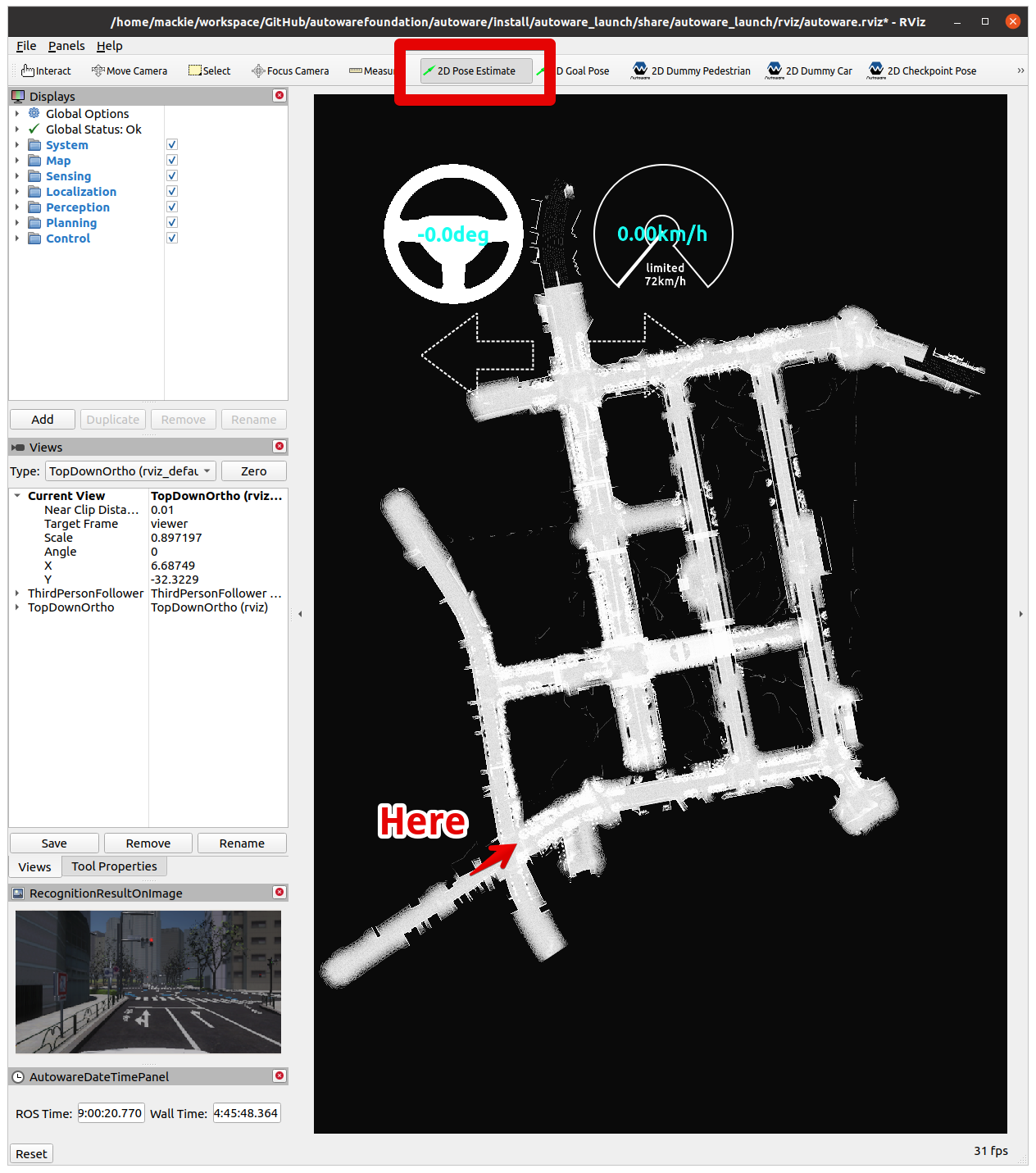 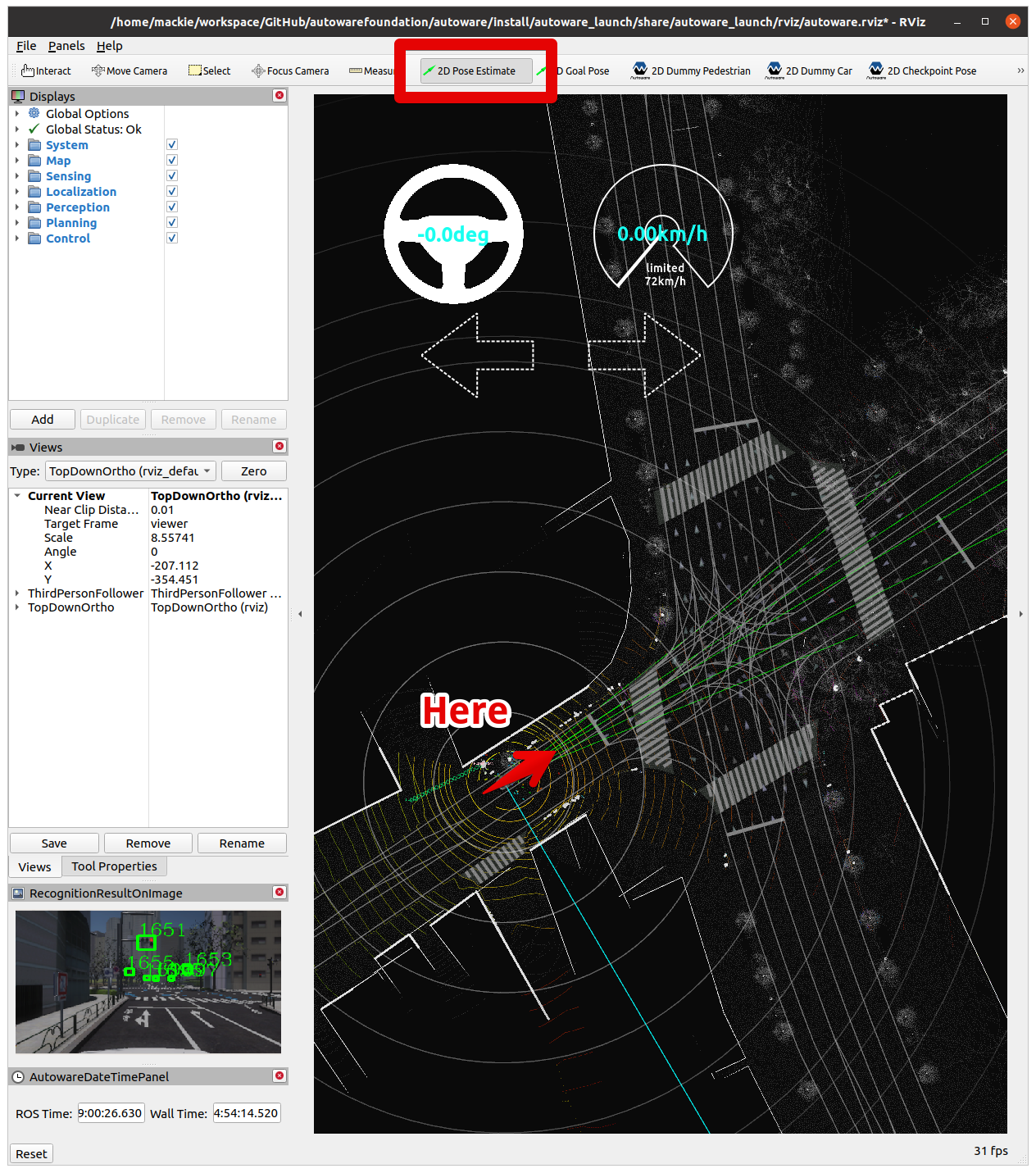 |
| Unity crashes and check the log for the cause of the error. | Editor log file location Windows : C:\Users\username\AppData\Local\Unity\Editor\Editor.logLinux : ~/.config/unity3d/.Editor.log Player log file location Windows : C:\Users\username\AppData\LocalLow\CompanyName\ProductName\output_log.txtLinux : ~/.config/unity3d/CompanyName/ProductName/Player.logSee also : Unity Documentation - Log Files |
| Safe mode dialog appears when starting UnityEditor. or error : No usable version of libssl was found |
1. download libssl $ wget http://security.ubuntu.com/ubuntu/pool/main/o/openssl1.0/libssl1.0.0_1.0.2n-1ubuntu5.11_amd64.deb 2. install sudo dpkg -i libssl1.0.0_1.0.2n-1ubuntu5.11_amd64.deb |