Before following through with this section make sure you setup AWSIM Unity project in accordance with section Setup Unity Project.
Run the scene
To run the AWSIM scene in Unity with Autoware follow these steps:
- Open the
AutowareSimulation.unityscene placed underAssets/AWSIM/Scenes/Maindirectory: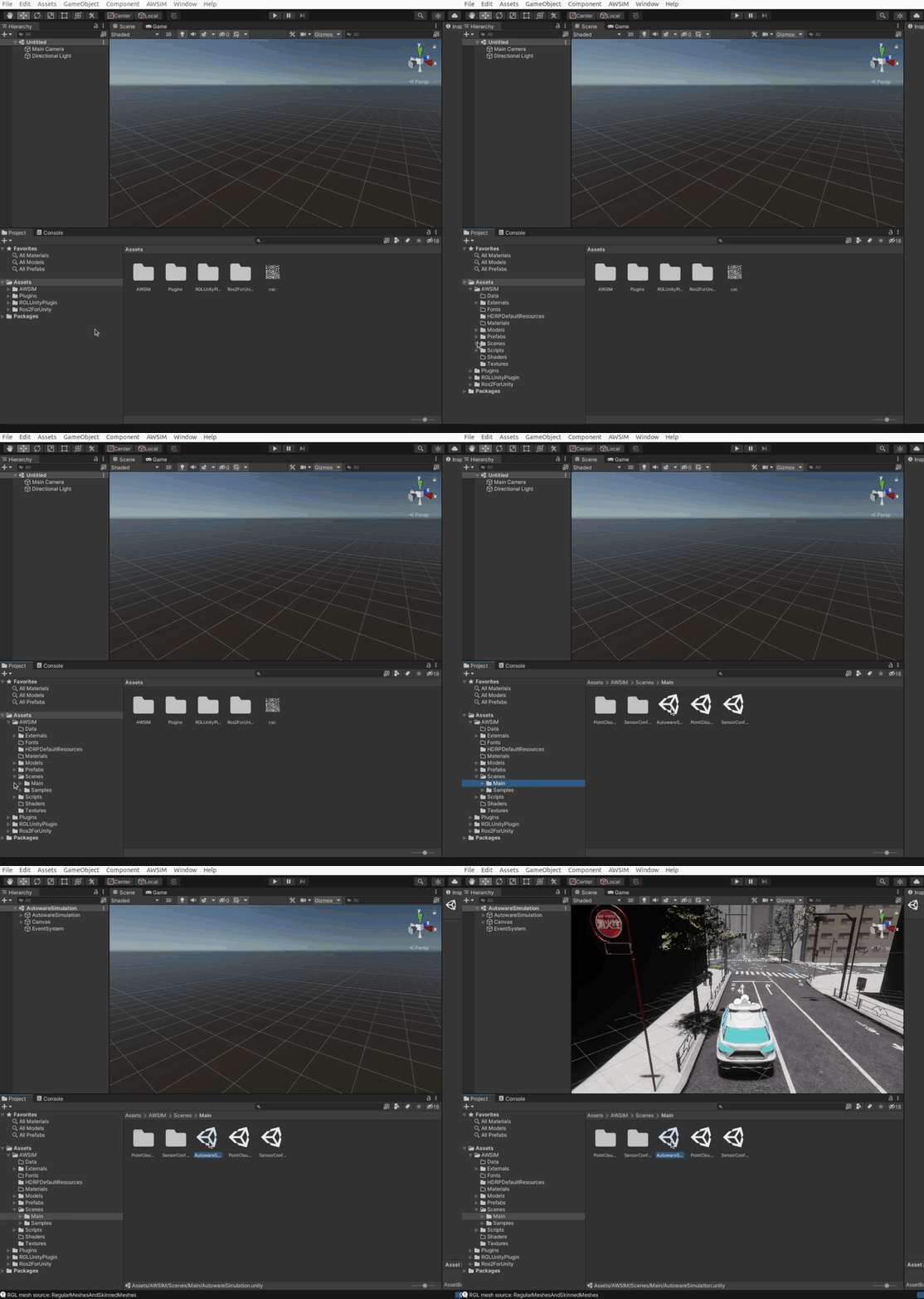
- Run the simulation by clicking
Playbutton placed at the top section of Editor: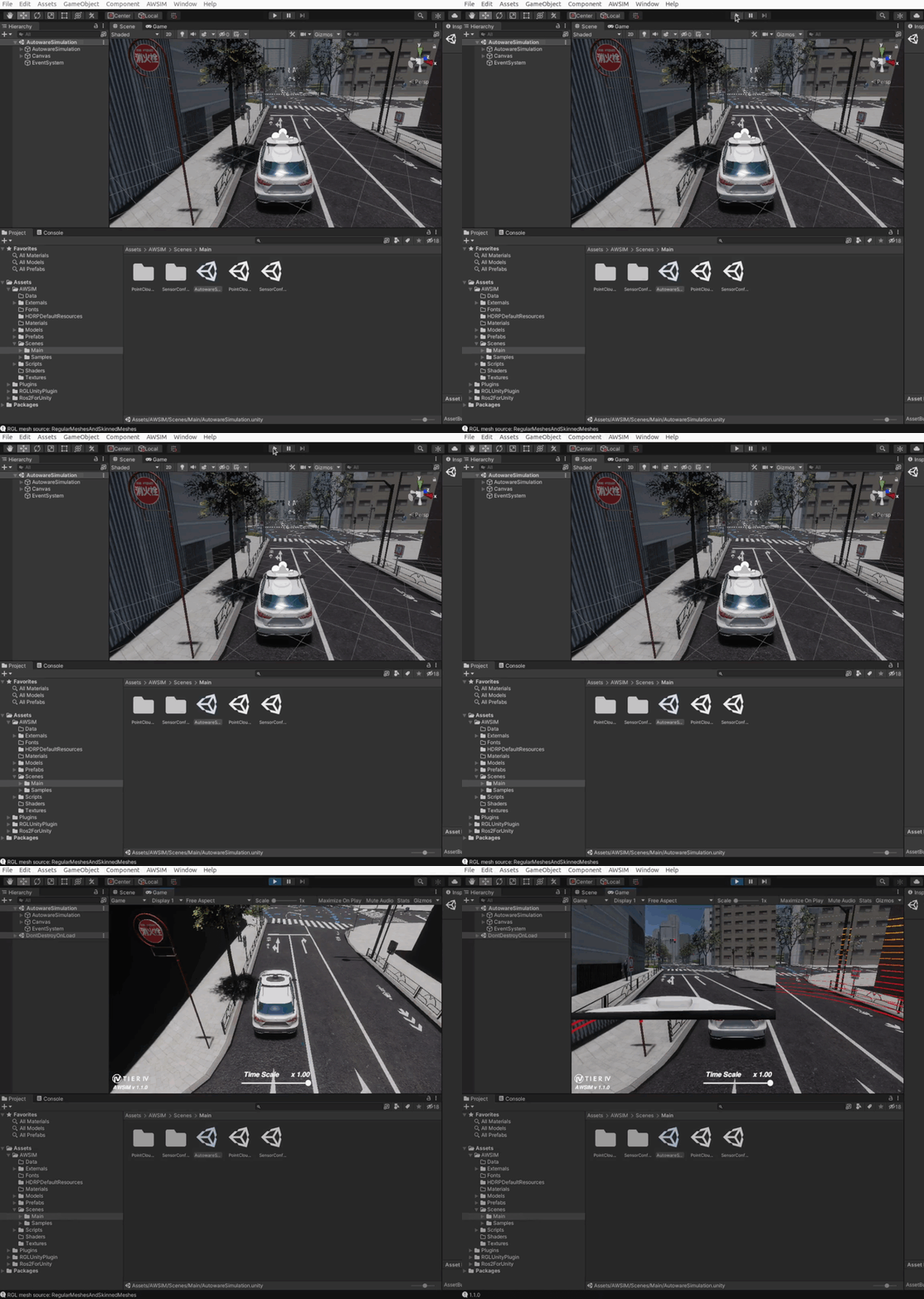
-
Launch the Autoware (the same way as with AWSIM Demo) by executing the commands with your own path to the
map files:source /opt/ros/humble/setup.bash source <autoware_workspace_path>/install/setup.bash ros2 launch autoware_launch e2e_simulator.launch.xml vehicle_model:=sample_vehicle sensor_model:=awsim_sensor_kit map_path:=<mapfiles_dir_path>
Success
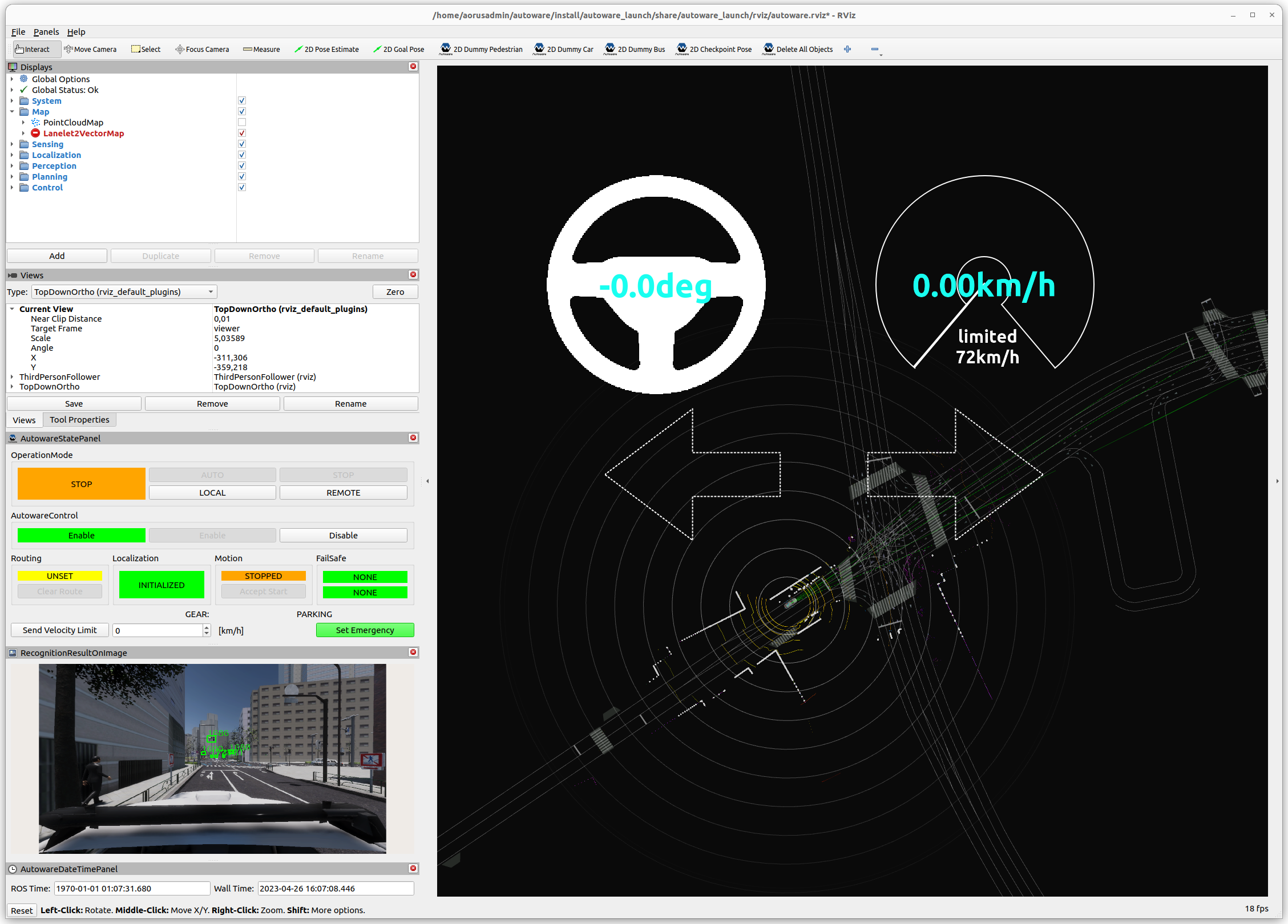
The Autoware that has been started and communicating properly with AWSIM should look like this: