System Requirements
Before installation, please make sure that your machine meets the following requirements in order to run the simulation correctly:
| System Requirements | |
|---|---|
| OS | Ubuntu 22.04 / Windows 10 or 11 (64 bit) |
| CPU | 6 cores and 12 thread or higher |
| GPU | Nvidia GPU with at least 8GB of memory (recommended RTX2080Ti or higher) |
Info
System requirements may vary depending on simulation contents which may change as the simulator develops.
Linux
Follow these steps to get your Ubuntu system ready to run AWSIM with Autoware.
1. Localhost settings
The simulation is based on the appropriate network setting, which allows for trouble-free communication of the AWSIM simulation with the Autoware software.
To apply required localhost settings please add the following lines to ~/.bashrc file:
export ROS_LOCALHOST_ONLY=1
export RMW_IMPLEMENTATION=rmw_cyclonedds_cpp

if [ ! -e /tmp/cycloneDDS_configured ]; then
    sudo sysctl -w net.core.rmem_max=2147483647
    sudo ip link set lo multicast on
    touch /tmp/cycloneDDS_configured
fi
Warning
If you are having trouble with network connection consider replacing export ROS_LOCALHOST_ONLY=1 with export ROS_DOMAIN_ID=XX where XX is a unique number in your network between 0 and 101 inclusive.
For more information about ROS_DOMAIN_ID head to official documentation.
Info
Adding these lines to your .bashrc file will require you to supply your password first time you open a terminal after each PC restart.
2. Install Git
To download AWSIM from a remote repository you need to install git.
Install it by executing the following commands in the terminal:
sudo apt update
sudo apt install git
3. Install Nvidia GPU driver
To run AWSIM on Ubuntu, it is required to install Nvidia 515.43.04 drivers or higher.
To check what version you currently have installed, run the nvidia-smi command in the terminal.
Example
The message displayed in the example means that the drivers are in version 525.105.17 and work properly:
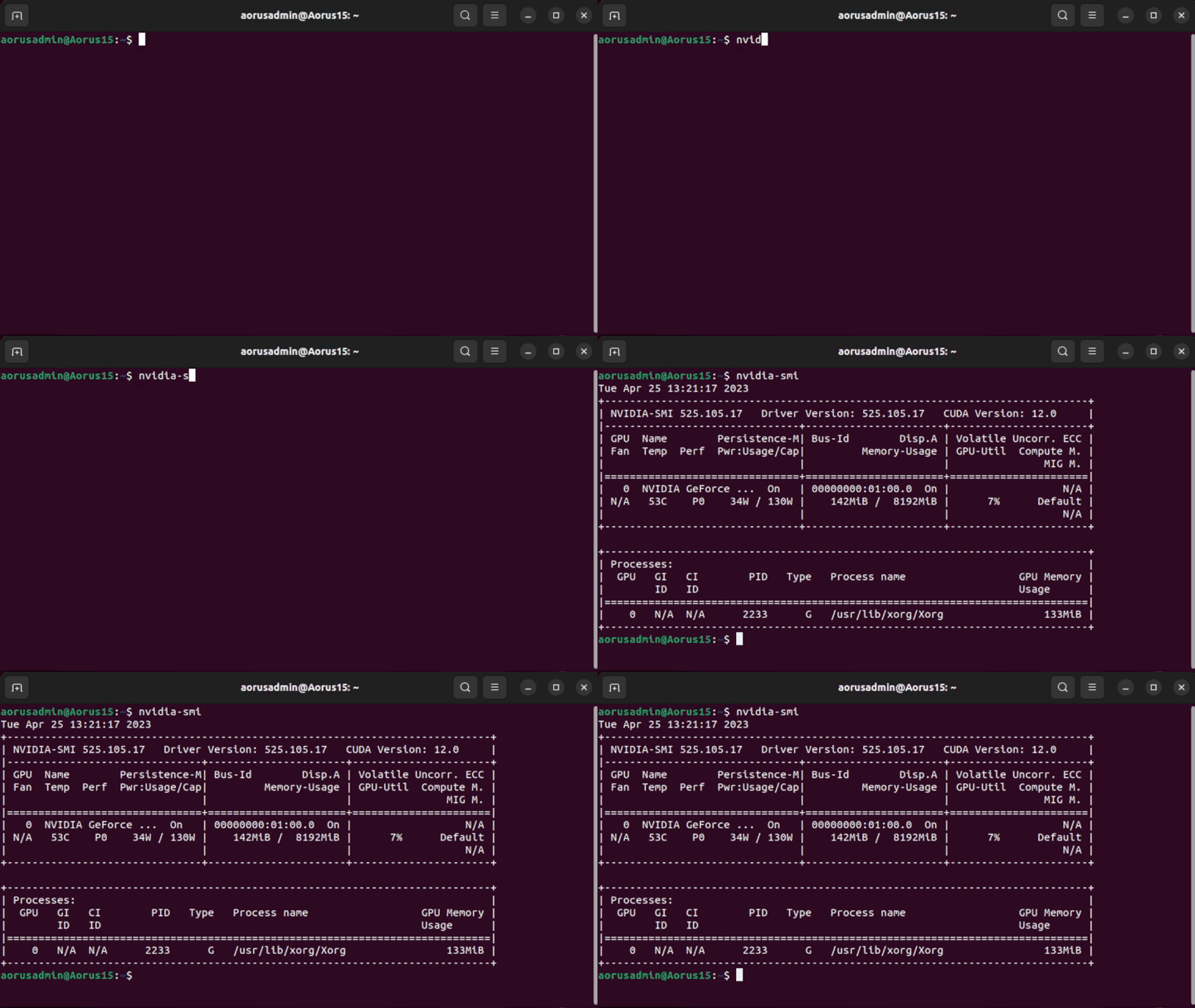
If you do not have drivers installed or you need to update them, select one of the options below and follow it.
Warning
After installing the graphics driver, a system restart is required.
3.1 App option
You can open Additional Drivers application and from there select one driver and install it.
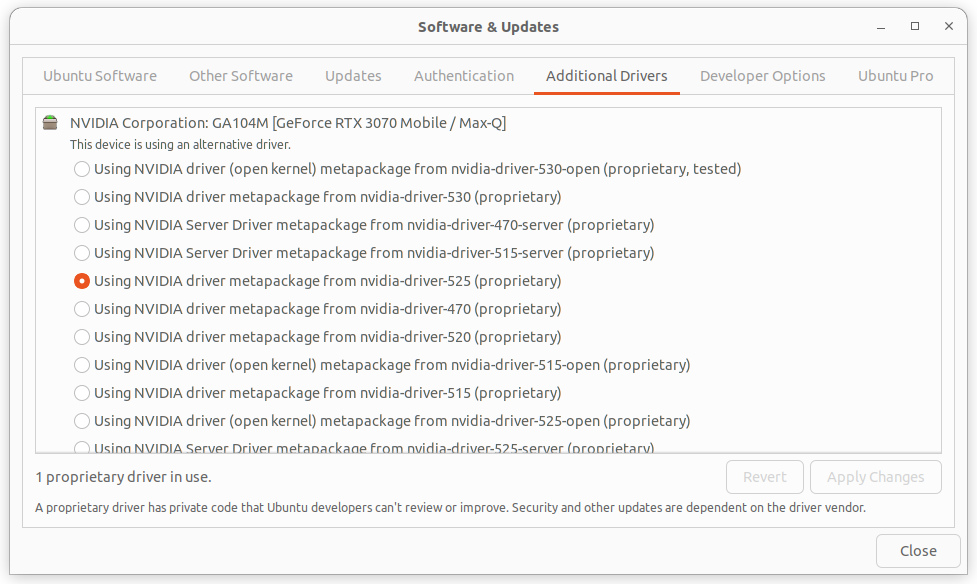
To verify that the drivers have been installed correctly, run the command nvidia-smi again and check.
3.2 Command line option
Other possibility is to install drivers from command line.
- Add Nvidia driver to apt repository:
sudo add-apt-repository ppa:graphics-drivers/ppa sudo apt update - Install the recommended version of the driver:
sudo ubuntu-drivers autoinstall
To verify that the drivers have been installed correctly, run the command nvidia-smi again and check.
4. Install Vulkan Graphics Library
AWSIM uses Vulkan Graphics Library, to install it run the following commands:
- Update the environment.
sudo apt update - Install Vulkan library
sudo apt install libvulkan1
5. Installing Autoware
AWSIM has been developed to work with Autoware, to install Autoware follow these steps:
Warning
The AWSIM-compatible version of Autoware is developed for the ROS2 Humble distribution
- Clone Autoware and move to the directory.
git clone https://github.com/autowarefoundation/autoware.git cd autoware - Switch branch to
awsim-stable.git checkout awsim-stable - Configure the environment. (Skip if Autoware environment has been configured before)
./setup-dev-env.sh - Create the
srcdirectory and clone external dependent repositories into it.mkdir src vcs import src < autoware.repos - Install dependent ROS packages.
source /opt/ros/humble/setup.bash rosdep update rosdep install -y --from-paths src --ignore-src --rosdistro $ROS_DISTRO - Build the workspace.
colcon build --symlink-install --cmake-args -DCMAKE_BUILD_TYPE=Release -DCMAKE_CXX_FLAGS="-w"
Info
More details related to the Autoware installation process can be found here: Autoware Installation
Windows
Follow these steps to get your Windows system ready to run AWSIM with Autoware.
1. Localhost settings
2. Install Git
3. Install Nvidia GPU driver
Nvidia Driver (Windows) | >=472.50