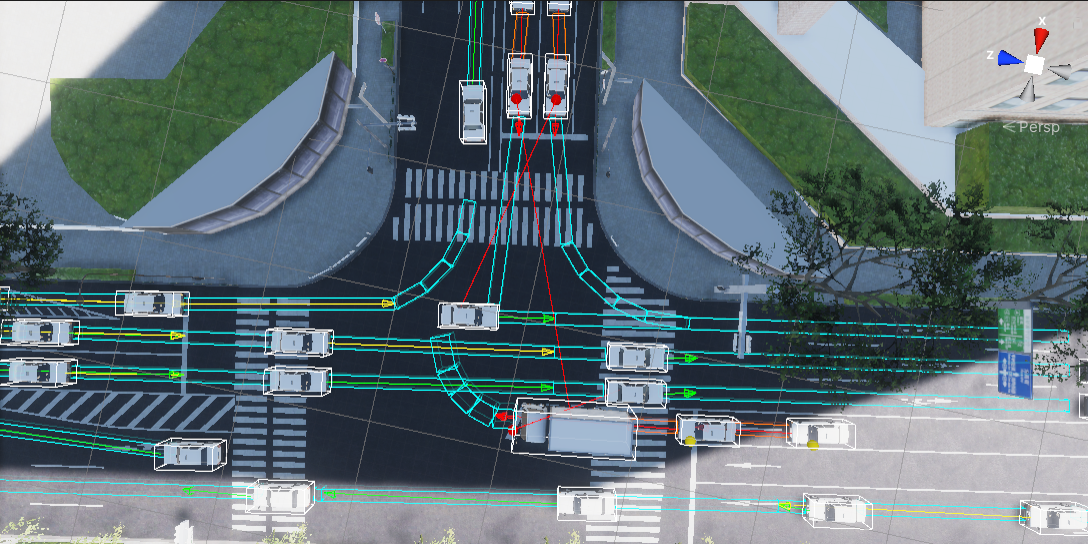
Random Traffic Simulator
(description of what it is and how spawned NPCs behave in the environment)
- Architecture description [30% current] (graph)
- Seed, Spawnable Lanes, Max Vehicle Count, Spawning process (description, gif: example of spawning on a specific line)
- Vehicle Prefabs (screens - examples of vehicles and the impact of boundaries)
- Vehicle and Ground Layer masks (impact on spawning and behavior)
- Vehicle Config (an explanation of each and a reference to SpeedMode)
- Simulator steps (cognition, decision, control -> SpeedMode and Yielding states, graph)
- Yielding process (stop lines, gifs)
- Visualization description (screens: yielding, SpeedMode)
TrafficIntersection
(description of what it is and where it occurs in the environment, screen)
- Traffic Lights (description, bulbs, dependence of the location on the lanelet, impact on the recognition of traffic lights in Autoware, screens)
- Traffic Intersection Script
- Collider Mask (probably out of date)
- Traffic Light Groups (what they are and the result of adding traffic lights to them)
- Lighting Sequences (description, how it works - gifs)
StopLine
(description of what it is and where it occurs in the environment screen, impact on Random Traffic)
- Stop Line Script
- Points
- Stop sign (why this association occurs)
- Traffic light (why this association occurs)
TrafficLane
(description of what it is and where it occurs in the environment screen, impact on Random Traffic)
- Traffic Lane Script
- Waypoints (screen)
- Turn Direction (screens)
- Next and Prev Lanes (screens)
- Right of Way Lanes (gifs: a few examples with explanations regarding to Random Traffic)
- Stop Line (screen)
- Speed Limit
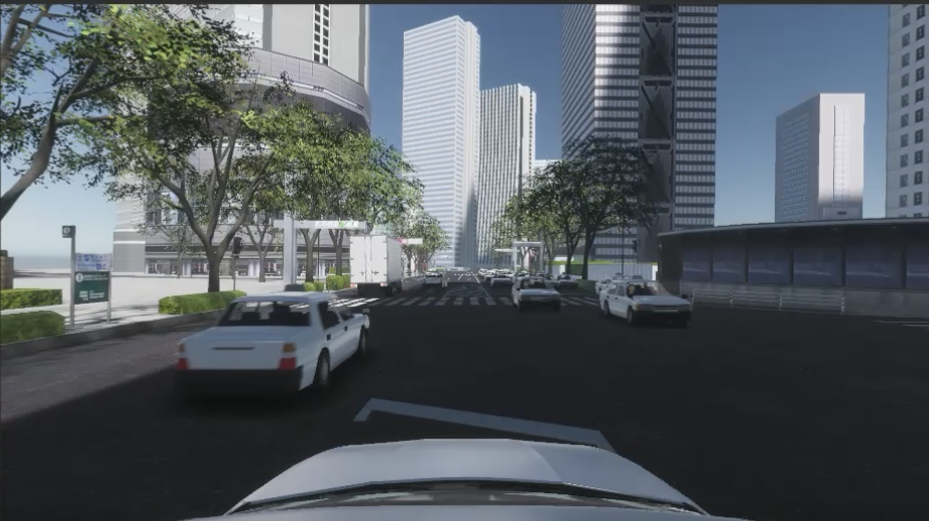
The RandomTrafficSimulator simulates city traffic with respect to all traffic rules. The system allows for random selection of car models and the paths they follow. It also allows adding static vehicles in the simulation.
Getting Started
Overview
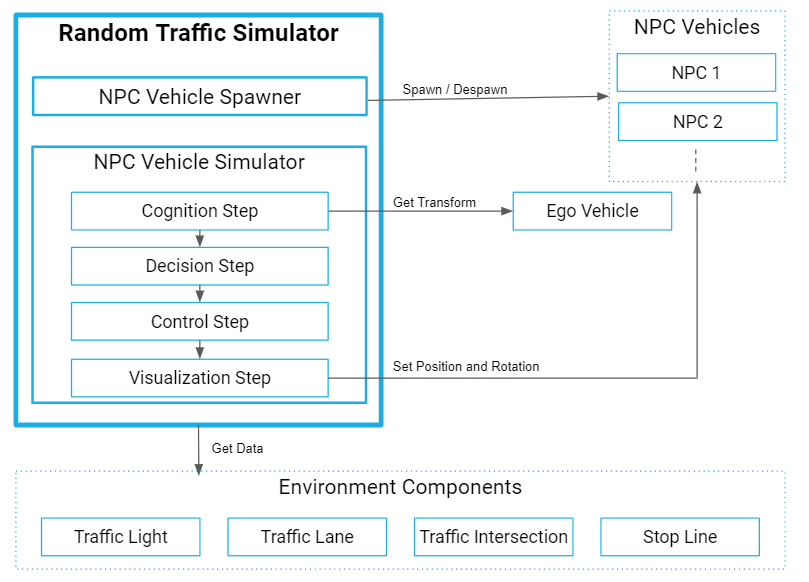
The random traffic system consists of the following components:
RandomTrafficSimulator: manages lifecycle of NPCs and simulates NPC behaviours.TrafficLane,TrafficIntersectionandStopLine: represent traffic entitiesNPCVehicle: vehicle models (NPCs) controlled byRandomTrafficSimulator
Components Settings
The following section describes Unity Editor components settings.
Random Traffic Simulator
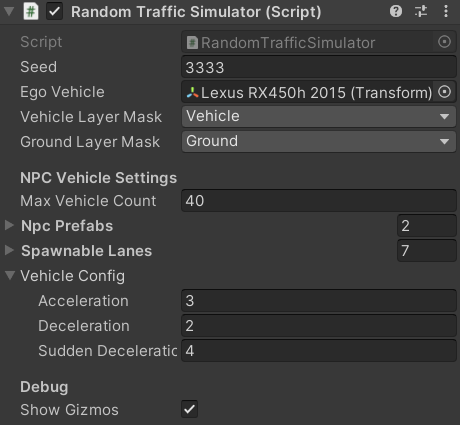
| Parameter | Description |
|---|---|
| General Settings | |
| Seed | Seed value for random generator |
| Ego Vehicle | Transform of ego vehicle |
| Vehicle Layer Mask | LayerMask that masks only vehicle(NPC and ego) colliders |
| Ground Layer Mask | LayerMask that masks only ground colliders of the map |
| Culling Distance | Distance at which NPCs are culled relative to EgoVehicle |
| Culling Hz | Culling operation cycle |
| NPC Vehicle Settings | |
| Max Vehicle Count | Maximum number of NPC vehicles to be spawned in simulation |
| NPC Prefabs | Prefabs representing controlled vehicles. They must have NPCVehicle component attached. |
| Spawnable Lanes | TrafficLane components where NPC vehicles can be spawned during traffic simulation |
| Vehicle Config | Parameters for NPC vehicle controlSudden Deceleration is a deceleration related to emergency braking |
| Debug | |
| Show Gizmos | Enable the checkbox to show editor gizmos that visualize behaviours of NPCs |
Gizmos
Gizmos are useful for checking current behavior of NPCs and its causes.
Gizmos have a high computational load so please disable them if the simulation is laggy.